How to check the battery life of a wireless crane load display?
 Language
 Français
 Español
 Árabe
Árabe
 Deutsch
 简体中文
简体中文
 Português
 Русский
 日本語
日本語
 한국어
한국어
 हिंदी
हिंदी
 Prancis
 Türkçe
 Tiếng Việt
 Italiano
 ไทย
ไทย

-
Tel
+86 15275228746
-
WhatsApp/WeChat
8615275228746
Blog
Company intro
10000m 2+ Cover Area QINGDAO TOP RUN INTERNATIONAL TRADE CO., LTD Qingdao Top Run International Trade Co., Ltd. has been a professional and leading supplier of construction machinery spare parts in China for over 15 years. With extensive experience and expertise, we have established strong partnerships with top manufacturers to offer a wide range of genuine and OEM parts for brands such as XCMG, SANY, ZOOMLION, SHANTUI, LIUGONG, and more. 80+ Employees View more Looking for properate products? Contact us
Send Message
How to check the battery life of a wireless crane load display?
Dec 19, 2025
View: 296
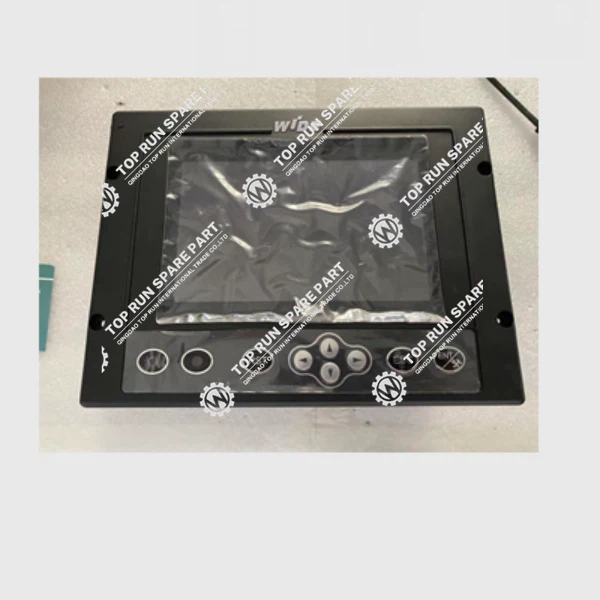
Hey there! I'm a supplier of Crane Load Displays, and I know how crucial it is to keep your equipment in top - notch condition. One of the key aspects of maintaining a wireless crane load display is to regularly check its battery life. In this blog, I'm gonna share with you all the ins and outs of how to check the battery life of a wireless crane load display.
Why It's Important to Check Battery Life
Before we jump into the methods of checking the battery, let's quickly talk about why it's so important. A wireless crane load display is a vital tool on the construction site. It gives real - time information about the load on the crane, ensuring the safety of the whole operation. If the battery runs out unexpectedly, the display may stop working, which can lead to a halt in work and even compromise the safety of workers. So, keeping an eye on the battery life is a must - do.
Method 1: Check the Built - in Battery Indicator
Most modern wireless crane load displays come with a built - in battery indicator. It's usually a small icon on the display screen. This is the easiest way to get a quick idea of the battery status.
When you turn on the display, look for the battery icon. It might look like a little rectangle with some bars inside. If all the bars are full, that means the battery is fully charged. As the battery drains, the number of bars will decrease. If only one bar is left or there's a low - battery symbol like a flashing icon, it's time to recharge or replace the battery.
Some displays also have a numerical readout of the battery percentage. This gives you an even more accurate idea of how much charge is left. For example, if it shows 20%, you know you need to take action soon.
Method 2: Use a Battery Tester
If your wireless crane load display doesn't have a built - in indicator, or if you want a more precise reading, you can use a battery tester. You can find battery testers at most hardware stores or online.
First, you need to remove the batteries from the load display. Be careful not to damage the battery terminals while doing this. Once you've taken out the batteries, insert them into the battery tester according to the instructions.
The tester will then show you the voltage of the battery. For most standard batteries used in crane load displays, a fully - charged battery should have a voltage close to its rated voltage. For example, a 9 - volt battery should read around 9 volts when fully charged. If the voltage is significantly lower, like 7 volts for a 9 - volt battery, it indicates that the battery is low on charge and needs to be recharged or replaced.
Method 3: Monitor the Battery Performance Over Time
Another way to check the battery life is to monitor how long the display lasts on a single charge. Keep a record of when you last charged the battery and how long it takes for the battery to run out.
If you notice that the display is running out of power much faster than it used to, it could be a sign that the battery is starting to wear out. For example, if it used to last for 20 hours of continuous use on a full charge, but now it only lasts for 10 hours, it's time to think about getting a new battery.
You can also pay attention to other signs of poor battery performance. If the display starts to flicker or shows erratic readings, it might be due to a weak battery.
Tips for Extending Battery Life
Now that you know how to check the battery life, let's talk about how to extend it. Here are some tips:
- Store the display properly: When not in use, store the wireless crane load display in a cool, dry place. Extreme temperatures can reduce the battery life. For example, don't leave it in a hot truck on a sunny day or in a freezing cold storage area.
- Turn it off when not needed: If you're taking a break from using the crane, turn off the load display. This will prevent unnecessary battery drain.
- Use the right charger: Always use the charger that came with the display or a compatible one. Using an incorrect charger can damage the battery and reduce its lifespan.
Related Crane Spare Parts
If you're looking for other crane spare parts, we've got you covered. You can check out some great options like the Gearbox Assy Or Transmission, Cable Drum 1021402331, and WIDE LMI Load Moment Limiter ASSY 1021500.
Let's Connect
If you have any questions about checking the battery life of your wireless crane load display or if you're interested in purchasing our products, feel free to reach out. We're always here to help you make the best decisions for your crane operations.
References
- Crane Load Display User Manuals
- Battery Manufacturer Specifications
Categories
QR Code


